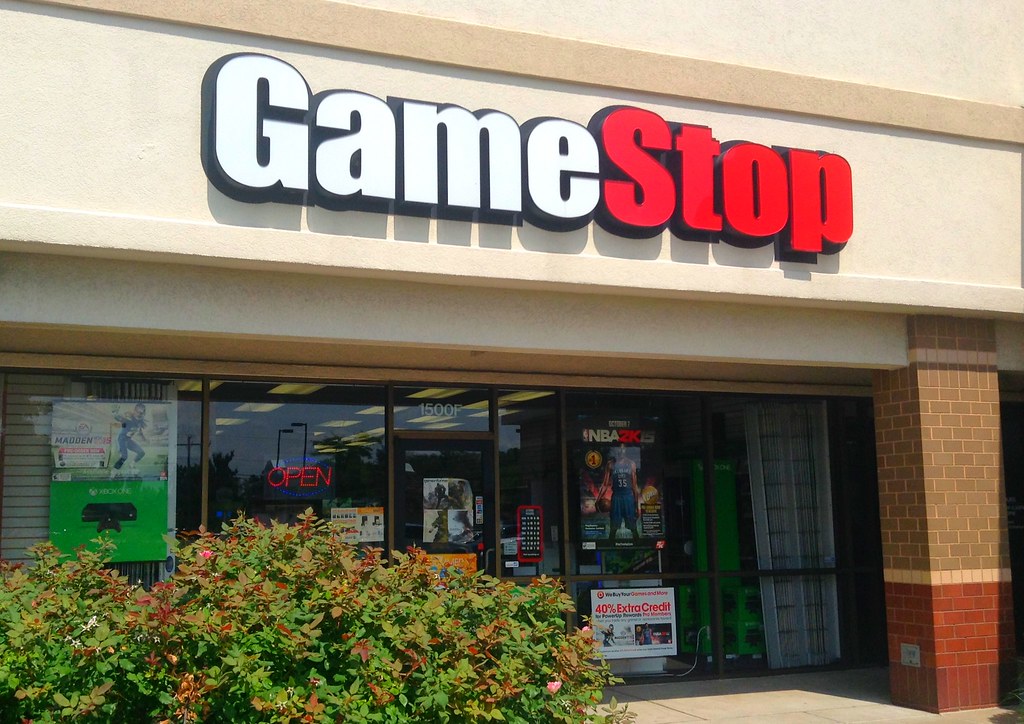
GameStop Return Policy: Opened Games, Pre-Owned Items, Exchanges and Fees
Quick answer: GameStop’s US return rules depend on whether merchandise is new, pre-owned, opened, a collector’s edition or a PC-related product. Under the published policy, most new unopened eligible products have a 15-day return window; pre-owned products have seven days for a refund, and certain PCs, components, televisions and monitors have seven days. An opened new game is not covered by the same ordinary refund rule as an unopened one. Check the receipt or online order number and the specific product category before opening or mailing an item.
Why “15 days” is not the right answer for every GameStop purchase
The official GameStop return policy assigns different periods to product groups. New unopened software, hardware, accessories, collectibles and unworn apparel with tags generally use 15 days. Special and Collector’s editions of new games and hardware carry a seven-day period. Pre-owned products generally have seven days for a full refund. PCs, PC components and accessories, laptops, TVs and monitors also use a seven-day window. A receipt showing several categories does not grant the longest deadline to the whole transaction.
For a new sealed game intended as a gift, inspect the console platform and title on the outside of the case before breaking its factory seal. For a gaming headset, verify compatibility and the return conditions before a long trial session. GameStop describes eligible new merchandise as clean and resalable and treats opened new hardware, software, accessories and collectibles as nonreturnable for ordinary refunds. A defective-item exchange may be possible within the relevant period, but a preference change after opening is not the same situation.
An online order may have a different handoff route
A product bought in a physical GameStop store must be returned in a store under the published terms. Most qualifying online purchases may be returned in a store without the ordinary mailed-return charge, but an online order above $500 cannot be returned in store. Items shipped to Puerto Rico, Hawaii or Alaska are designated for in-store return only. When a buyer has a high-value console or several devices on one invoice, check the value and route of each item before driving to a store or making a parcel label.
GameStop’s standard shipped-return fee is listed as $8.99, with a separate $14.99 shipping fee for video game console returns. Some refurbished tech items require contacting customer service rather than starting an ordinary self-service return. If your order offers more than one method, compare the net refund and packaging requirements before submitting. Do not combine multiple unrelated order numbers into one shipping box unless GameStop expressly instructs you to do so; keep a photo of the contents and the carrier acceptance receipt for each parcel.
For a different electronics seller, our Best Buy returns guide illustrates why membership status and product category can change a return window. It does not extend a GameStop deadline or make opened GameStop games refundable. Use the GameStop order confirmation to determine your actual options.
Proof of purchase and the condition of the item
Bring the in-store receipt, digital order number, confirmation email, packing slip or return barcode as applicable. GameStop says products without valid proof of purchase are not eligible for its ordinary return or exchange route; a product that qualifies for trade-in might instead be offered only its current trade value. That is not the same as refunding what you originally paid. GameStop may request government identification where lawful. Do not assume showing a payment-card charge alone guarantees a return without the required transaction record.
Retain factory packaging, controllers, charging cables, manuals and any included downloadable-code materials until you have decided to keep hardware. A return missing a bundled component can fail the store’s item-condition test. Individual components from a bundle are listed among nonreturnable items; an unopened bundle and a single detached accessory should not be treated as interchangeable products. When buying collectibles, read any “final sale” notice before removing protective packaging or display seals.
Pre-owned games versus a defective pre-owned console
The standard seven-day pre-owned refund window should be distinguished from defective-item exchange periods. GameStop’s policy describes a 15-day period for defective pre-owned products in eligible categories, with some exclusions for pre-owned PCs and technology. Pro membership can extend certain eligible pre-owned defective exchanges to 30 days under its own rules. A buyer should identify whether the issue is simple dissatisfaction with the game or a documented failure on an eligible pre-owned item. Different remedies and deadlines may apply.
If a disc will not load, clean it only as directed for that product and check whether the console reads other discs before reporting the issue. Explain what happens during loading, which console you used and whether the case and receipt are complete. Do not accept a trade-in quote as the sole answer if you believe the product arrived defective within the applicable exchange window; ask staff to check the defect policy for the precise SKU and transaction date.
Refunds, gift receipts, discounts and digital codes
For an accepted ordinary return with valid proof of purchase, GameStop generally refunds according to the original form of payment and the specific return policy. Gift-receipt returns are offered a GameStop gift card or even exchange. A purchase using Pro rewards, coupons or discounts can have an adjusted refund value. Check the actual paid price on the receipt instead of expecting a full refund of the product’s later list price. Keep the receipt for any trade-in credit or promotional bundle used to fund a purchase.
Digital products and many gift cards or activated items are not covered by a standard “send back the box” remedy. GameStop’s nonreturnable list includes digital products, trading cards, blind items, clearance, seasonal and consumable products and specified collectibles. Read the individual item’s final-sale designation. If a digital redemption code fails to function, report the activation problem through GameStop or the publisher’s relevant support route rather than describing it as an unopened physical-game return.
Warranty, defective hardware and manufacturer support
A defective new eligible item may qualify for an identical exchange within its return window; this does not promise an automatic cash refund for every opened item. For PCs, PC components, laptops, TVs and monitors, GameStop directs buyers to manufacturer assistance rather than the general in-store defective exchange route. Collect the model number, serial number and an exact description of the fault before contacting support. If you bought an optional product replacement or protection plan, read its contract and distinguish it from the standard store return policy.
Our HP direct-store return guide is useful only for understanding how a manufacturer’s own sales and service rules can differ from a retailer’s. Buying an HP laptop at GameStop does not make an HP Store return authorization automatically applicable. Ask GameStop which entity handles the initial transaction and, if directed to the manufacturer, record the contact details provided for your model.
Practical cases that require different decisions
You opened a new game and discovered you bought the wrong platform
Stop before using any enclosed one-time code. The ordinary opened-new-software rule may make a preference refund unavailable. Bring the receipt and describe the error; ask whether any stated exchange provision applies, without promising that a different platform will be treated as an identical defective replacement.
A pre-owned game fails a few days after purchase
Check the purchase date and report the failure while the pre-owned defect window remains open. Keep the disc, case and proof of purchase and document whether other discs play normally on the same console. The relevant defective exchange rule may differ from the ordinary seven-day refund rule.
Your expensive online console arrived with a damaged box
Photograph the unopened shipping package and the factory seals immediately. Because higher-value online items and console shipping have special rules, contact support before selecting an ordinary store handoff or paying for a return label. Ask which process applies to transit damage and retain the written return authorization.
Holiday gifts: verify the season-specific notice
GameStop has published extended windows for defined holiday purchase dates in specific seasons, but a historical promotion should never be presented as an automatic current extension. If a game will be given weeks after purchase, ask for the current holiday policy in writing before checkout, record the purchase period and preserve the receipt or gift receipt. Watch the product exception: a special-edition or PC category may carry conditions that differ from an ordinary unopened game. A gift receipt may change the offered form of refund to gift card or exchange even when a return is accepted.
Short answers to common questions
Can I return a game without the receipt?
GameStop requires valid proof of purchase for its standard return or exchange. A trade-in-eligible item might receive current trade value, which is not a refund of the original sale.
Can Pro membership make an opened new game returnable?
The published Pro extension concerns specified unopened new software and hardware and certain defective pre-owned exchanges. It should not be interpreted as removing the general opened-new-software restriction.
Can I mail a purchase from a local GameStop store?
The stated policy requires in-store purchases to be returned in store. Contact support about unusual circumstances rather than mailing the item to an address guessed from an online order.