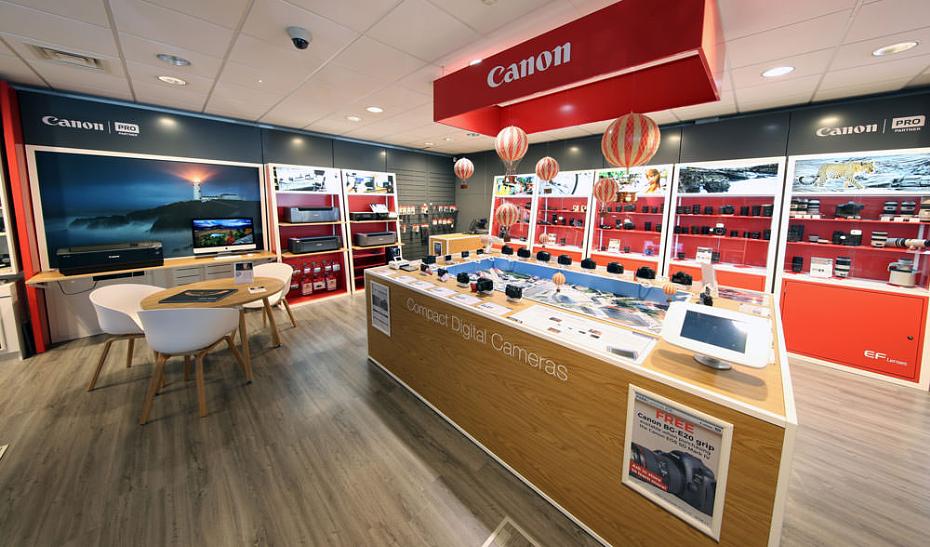
Canon sells cameras, lenses, printers, ink, accessories, and business equipment through its U.S. online store and support network. That product mix can make returns more complicated than a typical retail purchase, especially when packaging, accessories, software, bundles, or defect-based claims are involved. This guide is designed for U.S. shoppers who want a practical explanation of Canon’s return rules, refund expectations, warranty basics, shipping restrictions, cancellation limits, and customer support options. It is especially useful if you are buying a higher-value camera or printer, returning an unopened item, dealing with a defective unit, or trying to avoid a denied return because a cable, manual, or box is missing.
The Canon return policy for direct online orders is narrower than many general retailers, so this guide explains the return window, RMA process, packaging rules, nonreturnable categories, warranty alternatives, and the main differences between Canon direct purchases and items bought from authorized dealers.
Quick Answer: Can You Return Items to Canon?
Yes, Canon generally allows returns or exchanges for defective or unopened merchandise purchased from the Canon Online Store, but the process is strict. Customers typically must request an RMA within 14 calendar days of delivery and send the item back within 14 calendar days after the RMA is issued. Opened media, certain nonreturnable items, bundles, and some specialty products may have tighter restrictions or no standard return option.
Quick Facts Table
| Policy Area | Canon U.S. Summary |
|---|---|
| Refund Window | RMA generally must be requested within 14 calendar days of delivery, and the return must usually be sent within 14 calendar days after the RMA is issued. |
| Receipt Requirement | Invoice, packing slip, or order lookup details are strongly recommended; direct-order records in a Canon account can help. |
| Refund Method | Typically returned to the original payment method; bank or processor timing can vary. |
| Exchanges Allowed | Yes, for eligible defective or unopened merchandise purchased through the Canon Online Store. |
| Restocking Fees | Varies / Check official policy. Shipping and handling charges are generally not refunded unless Canon determines the item is defective. |
| Online vs In-Store Differences | Canon direct online orders follow Canon’s online-store rules. Authorized dealers may apply their own return policies. |
Policy Snapshot
Return window: Generally 14 days to obtain an RMA, plus 14 days to send the item back.
Receipt requirement: Invoice, packing slip, or direct order record is helpful.
Refund method: Usually back to the original payment method.
Exchanges: Available for eligible defective or unopened items.
Restocking fees: Not clearly stated as a standard fee; non-defect shipping charges are typically not refunded.
Official Return Policy Overview
Canon’s direct online-store return policy is built around a strict authorization process. Eligible direct purchases are generally limited to defective or unopened merchandise, and customers usually need to request an RMA quickly after delivery. Packaging, included accessories, and product condition matter.
For items purchased directly from the Canon Online Store, the standard process is not a casual drop-off return. Canon generally requires a Return Merchandise Authorization before anything is sent back. That means the most important deadline is the first one: you usually must request the RMA within 14 calendar days from delivery. After Canon issues that authorization, there is a second deadline to complete the return shipment.
Condition is a major issue with Canon purchases because many items are expensive electronics or consumable-based products. Canon’s published language focuses on defective or unopened merchandise. In practice, that means customers should inspect cameras, lenses, printers, and accessories immediately after delivery rather than waiting. If a product arrives damaged, defective, or not as described, the return or warranty path may still be available, but delay can create friction.
Packaging expectations are also strict. Canon says returned merchandise should be in the original packaging and include all original items that came with it, such as manuals, cables, accessories, straps, or similar components. Missing parts can cause delays, deductions, or denial problems. This is especially important for camera bodies, lens kits, printer starter supplies, and bundled accessories.
Category differences matter. Canon’s direct policy is not equally flexible across all product types. Specialty business equipment can carry more restrictive terms, while opened media or non-defective instruction materials may not qualify for return at all. Some product pages may also label an item as nonreturnable. If you bought through an authorized dealer rather than Canon direct, that dealer’s return policy may control the transaction instead of Canon’s direct-store rules.
For the official store policy, see Canon’s official return policy.
Holiday Return Policy
Canon may announce extended seasonal return windows during holiday shopping periods, but those extensions are not permanent rules. If you are buying a gift or shopping during peak-season promotions, review the official return policy at the time of purchase.
Holiday returns are one of the easiest areas for consumers to misunderstand. Canon has used extended return windows for eligible purchases made during promotional holiday periods, but those extensions are typically tied to specific purchase-date ranges and cutoff dates. Because those seasonal terms are not always active, you should avoid assuming the regular return window is automatically extended.
Some exclusions may still apply during a holiday extension, particularly if an item is final sale, listed as nonreturnable, or restricted by product type. Customers purchasing cameras, lenses, printers, or gifts late in the season should save all packaging and confirm whether the order confirmation or return page mentions a temporary extension.
If no active extension is posted, assume the standard direct-store rules apply. Policies are subject to change; we recommend verifying directly with the retailer.
You can review current details on Canon’s returns and exchanges page.
Exceptions to the Canon Return Policy
- ✕Items listed as nonreturnable on the product page may not qualify for a standard return.
- ✕Non-defective CD-ROMs and instruction manuals are generally not eligible for return or exchange.
- ✕WG Series Inkjet Business Printers are subject to final-sale style restrictions except where warranty or defect-based relief applies.
- ✕Items purchased through Build Your Bundle promotions may need to be returned together rather than individually.
- ✕Opened consumables, missing accessories, or broken media seals can create denial risks or move the issue into warranty review instead of a standard refund path.
These exceptions exist because Canon sells products that are easy to consume, activate, or reclassify once opened. Ink, paper-related items, software, and bundled camera products are common pain points. A customer may think only the unwanted lens or accessory needs to go back, but bundle programs often require the full set. Likewise, software and media products become harder to resell or verify once opened.
If a standard return is blocked, the next-best option may be a warranty claim, service request, exchange request, or support escalation. That is particularly relevant when the issue is product performance rather than buyer’s remorse.
Warranty Coverage Explained
Canon’s warranty structure varies by product category, but it generally focuses on defects in materials or workmanship rather than accidental damage, misuse, wear, or missing parts. Proof of purchase is important, and repair or replacement may be used instead of a refund.
Warranty coverage is separate from the sales return policy. A return usually addresses an eligible direct purchase that is defective or unopened within a short time after delivery. A warranty claim addresses a product problem after ownership has started, usually where the product has a covered defect rather than a change-of-mind issue.
For many Canon consumer products, the core concept is similar: defects in materials or workmanship may be covered, while accidental damage, misuse, corrosion, water exposure, sand damage, unauthorized modification, or normal wear are usually outside standard limited warranty protection. Proof of purchase is commonly required to show eligibility and coverage timing.
Depending on product type and service path, Canon may repair the item, replace it with a comparable unit, or in some cases use an advance or exchange-style program for eligible hardware lines. For certain products, Canon also offers advanced exchange programs after technical diagnosis. That can be useful when downtime matters more than a traditional repair queue.
Because warranty length and terms can differ across cameras, printers, calculators, accessories, and refurbished units, consumers should confirm the exact product’s warranty record. See Canon’s warranty information page and advanced warranty exchange information.
Step-by-Step Return Process
In-Store Returns
- ✓Bring the item, original packaging, all included accessories, and your proof of purchase if you bought from an authorized dealer with physical locations.
- ✓Go to the retailer’s returns desk or customer service counter, because dealer purchases may follow the dealer’s own rules rather than Canon direct-store terms.
- ✓Expect the item to be inspected for missing parts, opened materials, visible damage, and serial-number consistency.
- ✓Ask for a supervisor review if the issue involves a defect, missing shipment contents, or bundle confusion.
Canon itself is primarily a manufacturer and online seller, so many “in-store” scenarios actually involve authorized dealers rather than Canon-operated stores. That is why it is important to confirm whether your receipt is from Canon direct or another seller.
Online / Mail Returns
- ✓Start by reviewing your order in your Canon account or contacting Canon order support to request an RMA within the required timeframe.
- ✓Follow Canon’s instructions carefully and make sure the RMA number is used exactly as directed.
- ✓Pack the item in the original box when possible, include manuals and accessories, and add protective outer packaging before shipment.
- ✓Remove or cover old labels, keep tracking details, and save shipment photos before drop-off.
- ✓Monitor the return until Canon receives and inspects it, since refund timing can vary after intake and payment processing.
A common Canon pain point is waiting too long to inspect a delivered item. Another is returning a printer or camera without the starter supplies, strap, battery, or paperwork that originally came in the box. Those details matter. For a smoother process, treat the unboxing as a checklist event and save photos of every included component before you repack the item.
Refund Methods by Payment Type
Canon refunds are generally routed back to the original payment method after the returned item is received and reviewed. The visible posting time can vary depending on the bank, card issuer, or payment platform.
For credit cards, the refund typically appears as a reversal or credit after Canon processes the return, but your bank controls the posting timeline. Debit-card refunds follow a similar pattern and can take additional time depending on the card network and bank procedures.
If PayPal was used, the refund commonly routes back through PayPal rather than a separate store-credit system. Gift-card or split-payment situations can be more complicated and may depend on the exact payment combination used during checkout. Canon has also allowed certain payment alternatives on eligible purchases, but those options may carry their own refund mechanics.
Canon does not present its direct-store returns as an instant-refund system. That matters for customers making expensive purchases who expect immediate reversal after drop-off. Usually, Canon first needs the item back and may inspect it before finalizing the refund. If processor timing is not stated for your order type, assume it varies by payment network.
In-Store vs Mail Return Comparison
| Factor | In-Store / Dealer Return | Mail Return to Canon |
|---|---|---|
| Speed | Often faster for initial inspection if the dealer accepts returns on-site. | Slower because it requires RMA setup, shipment, receipt, and inspection. |
| Refund Timeline | May begin sooner, but depends on the retailer. | Usually starts after Canon receives and processes the return. |
| Fees / Shipping Responsibility | Usually no return shipping, but dealer rules vary. | Customer may bear return shipping unless Canon treats the item as defective. |
| Convenience | Best if you bought locally and still have everything with you. | Best for direct Canon online purchases and customers without local dealer access. |
| Best Use Case | Simple dealer returns, fast documentation, quick inspection. | Canon direct orders, defect-based claims, RMA-managed returns. |
Cancellation Policy
Canon order cancellations can be difficult once fulfillment starts. If a cancellation option is available in your order record, act immediately. Once an order moves deeper into processing or shipment preparation, the return process may be your only remaining option.
Canon’s terms say the company reserves the right to decline or cancel orders, and payment-processing issues can also trigger cancellation. From the buyer side, the safest approach is to review the order immediately after placement and check whether a cancellation button or order-management option is visible in your account. If it is not, contacting order support right away is the best next step.
Once shipped, the transaction usually changes from a cancellation matter to a return matter. That means customers should not assume they can edit addresses, swap items, or stop the shipment once the warehouse process has advanced. If your package is already moving, prepare for the standard return path instead.
You can review the governing terms on Canon’s terms of sale page and use Canon order help for order-related support.
Shipping Policy
Canon ships direct online-store orders to street addresses in the 50 states and the District of Columbia. Delivery method, signature requirements, address restrictions, and shipping charges depend on the order and shipping option selected.
Canon’s published shipping page says it ships only to street addresses in the 50 states and the District of Columbia. It does not ship direct-store orders to P.O. boxes, APO/FPO addresses, or certain U.S. territories. That is important for buyers who assume a freight-forwarding setup, military box, or alternative address will work.
Canon lists standard, expedited, and express shipping options, but it also warns that upgraded shipping speed does not always guarantee delivery in that same number of days. Orders can be delayed for warehouse processing, weekends, holidays, or security review. Address changes after purchase are generally not permitted through Canon once the order is placed. Orders above a certain value may require a physical signature at delivery.
Shipping costs are based on order subtotal and selected method. Return shipping responsibility can fall on the customer unless Canon determines the returned product is defective. See Canon’s shipping and delivery page.
Customer Service & Contact Information
Canon offers several official support paths for U.S. customers, but the right channel depends on whether you need order help, product support, service, or dealer/location information.
Order Help / Sales: 1-800-385-2155
Consumer Product Support: 1-800-652-2666
Professional / Advanced Service Information: Use Canon’s service and support pages for product-specific routing.
Order Message Form: Canon order help
General Support Hub: Canon support
Help / Contact Page: Canon contact us
Community Forum: Canon Community
Quick Connect Support Table
| Support Type | Contact Method | Availability and & Customer Support Hours |
|---|---|---|
| Order Help / Sales | 1-800-385-2155 | Mon–Fri, 9:00 AM–9:00 PM ET |
| Consumer Product Support | 1-800-652-2666 | Mon–Fri, 9:00 AM–6:00 PM ET |
| Order Questions | Order Help / Message Us | Online self-service; response timing varies |
| General Product Help | Support Center | Online access anytime |
| Find a Dealer / Service Partner | Where to Buy | Online locator anytime |
Store Hours / Store Timings
Canon does not operate a typical nationwide retail-store chain in the way a big-box seller does, so store hours can vary depending on whether you are dealing with an authorized dealer, service partner, or Canon-operated experience location. For most consumers, the most reliable way to check location-specific timing is the official store locator. Authorized dealers set their own business hours, and support counters may follow different schedules than sales floors.
Practical Tips Based on Common Retail Practices
- ✓Open the box as soon as the item arrives and confirm every accessory is present, including batteries, straps, starter supplies, manuals, and cables.
- ✓Save your digital receipt, packing slip, shipping emails, and product photos in one folder before you decide whether to keep the item.
- ✓Photograph the product and packaging before any return shipment so you have proof of condition and contents.
- ✓Check for category-specific limits on software, consumables, business printers, and bundles before assuming a standard refund is available.
- ✓If you buy during a holiday shopping period, verify whether Canon has posted a temporary return-window extension for that season.
Reasons a Return May Be Denied
- ✕The RMA was not requested within the required window.
- ✕The return was not shipped back within the permitted period after the RMA was issued.
- ✕Original accessories, manuals, starter consumables, or packaging are missing.
- ✕The item shows customer-caused damage, misuse, water exposure, impact damage, or policy-violating condition issues.
- ✕The product falls under a final-sale, nonreturnable, or bundle-only return restriction.
Return Denial Prevention Tips
- ✓Keep the retail box, inserts, manuals, and every included component until you are sure you will keep the item.
- ✓Save proof of purchase and track the delivery date so you do not miss the RMA deadline.
- ✓Return items promptly after the RMA is issued instead of waiting until the last day.
- ✓Take clear photos of the product condition, serial label, and repacked contents before shipment.
- ✓Use tracked shipping and follow any required authorization instructions exactly.
Edge Case Scenarios
Lost Receipt
If you ordered directly through Canon, account-based order history may help you recover order details, invoices, or tracking information. That documentation can support an RMA request. If you bought through another seller, the retailer’s proof-of-purchase rules may apply. The best next step is to locate the order number, payment confirmation, and shipment email before contacting support.
Opened Items
Opened items can become difficult fast. Canon’s direct-store rules emphasize defective or unopened merchandise, so a non-defective opened product is riskier than an unopened one. Documentation helps if the issue is performance-related, incomplete contents, or damage on arrival. If the product is not return-eligible, warranty or service review may be the next option.
Gift Returns
Gift returns depend on where the item was purchased and whether the buyer used Canon direct or another authorized retailer. The original purchaser’s order information is often the easiest way to resolve the request. Keep the item unopened if possible, preserve the gift packaging, and confirm whether the seller allows gift-style returns or only refunds to the original payment method.
Damaged or Defective Items
If the product arrives damaged or appears defective, act quickly. Take photos of the outer box, inner packaging, and the product itself. Keep all contents together and contact Canon or the seller before discarding anything. Fast documentation is especially helpful with printers, lenses, and camera kits where the issue could involve shipping damage or missing components.
Late Returns
Late returns often shift out of the standard sales-return lane and into warranty or support territory. If you missed the return window but the item has a covered defect, a warranty claim may still be available. If the issue is preference-based rather than defect-based, the available remedies may be limited.
Warranty Replacement vs Refund
A refund usually ends the transaction. A warranty replacement or repair keeps you in the ownership cycle but may solve the product issue faster when the return window has closed. If downtime matters more than a refund, ask whether your model has an exchange-based service path. If you still qualify for a return and are unsure whether to keep the product, compare both options before deciding.
Official Policy Source
- ✓Official return policy
- ✓Official terms of sale
- ✓Official shipping and delivery page
- ✓Official warranty information
- ✓Official advanced warranty exchange page
- ✓Official contact page
- ✓Official support center
- ✓Official store locator / where to buy
Social Media Channels
Frequently Asked Questions
What is Canon’s standard return window?
For eligible direct-store returns, Canon generally requires customers to obtain an RMA within 14 calendar days of delivery and then return the item within 14 calendar days after the RMA is issued. That makes early inspection very important.
Can you return an opened Canon camera?
An opened camera can be harder to return than an unopened one because Canon’s direct policy focuses on defective or unopened merchandise. If the camera is defective or arrived with a problem, document the issue quickly and contact Canon for the proper path.
Does Canon refund shipping charges?
Shipping and handling charges from the original order are generally not refunded unless Canon determines the returned product is defective. Customers should also check whether return shipping costs fall on them for non-defect returns.
Can you cancel a Canon order after placing it?
Possibly, but the window can be short. If your account shows a cancellation option, use it right away. Once the order moves further into fulfillment or shipping preparation, the transaction may need to be handled through the return process instead.
Do you need a receipt for a Canon return?
Proof of purchase is strongly recommended. If you purchased directly through Canon, order history, invoices, and shipping records in your account may help support the request. If you bought from another retailer, that seller’s receipt rules may apply.
What happens if your Canon item is defective?
If the defect appears shortly after delivery, you may be able to pursue a direct return or exchange if the product is eligible. If the issue fits the warranty framework, Canon may use repair, replacement, or an exchange-based support process depending on the product line.
Do authorized dealer purchases follow the same return policy?
Not always. Canon’s direct online-store policy applies to items bought from Canon direct. If you purchased from an authorized dealer, that retailer may have its own return window, receipt requirements, and refund procedures, even when the product is still covered by a Canon warranty.
Key Takeaways
- ✓Canon direct returns usually require fast action: request the RMA within 14 calendar days of delivery and send the item back within 14 calendar days after the RMA is issued.
- ✓Packaging and accessories matter. Missing cables, manuals, batteries, starter supplies, or retail packaging can increase denial risk.
- ✓Opened media, nonreturnable items, bundle purchases, and certain specialty printers can carry tighter restrictions than standard merchandise.
- ✓Shipping charges are generally not refunded unless Canon determines the item is defective, and return shipping responsibility may vary.
- ✓If a return is no longer available, warranty service, repair, or exchange may be the more realistic solution.

